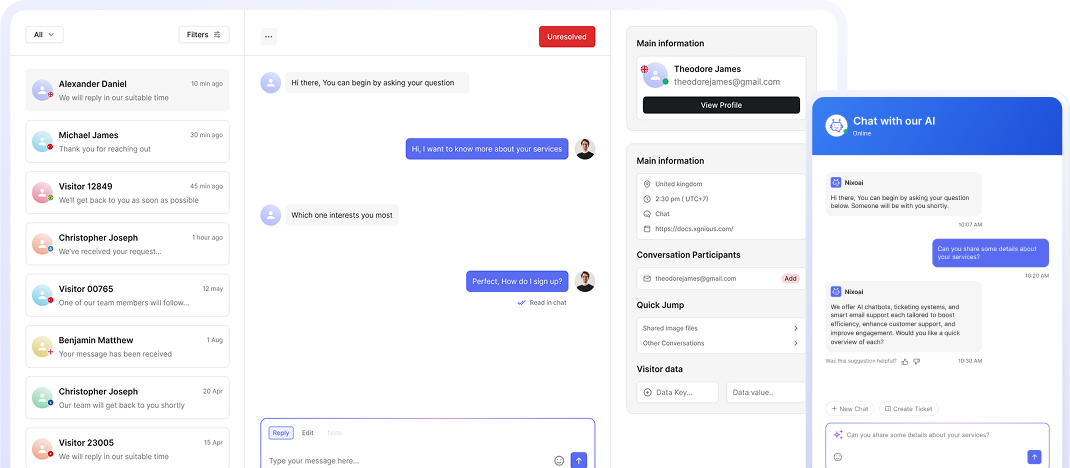




Streamline Your Support Operations

How it works

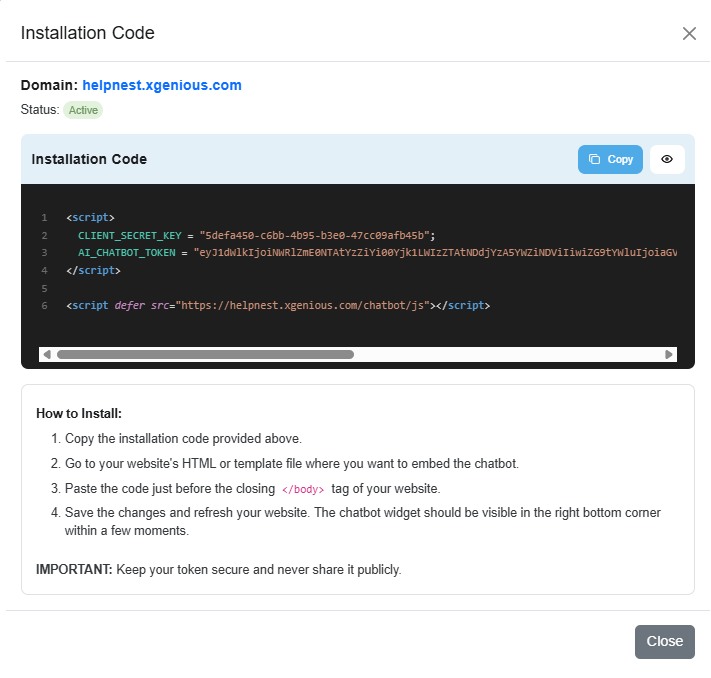
Install and go live. Paste a small snippet into your site and choose where the chat appears. Tinyhelpr is immediately active and ready for visitors. Add knowledge so answers fit. Upload your FAQs, offer details, or website text so the bot doesn’t sound generic, it sounds like your team. Capture leads and handoffs automatically. Tinyhelpr qualifies inquiries, stores contact details, and escalates complex topics in a structured way so you can respond faster.

Works Seamlessly on Any Platform

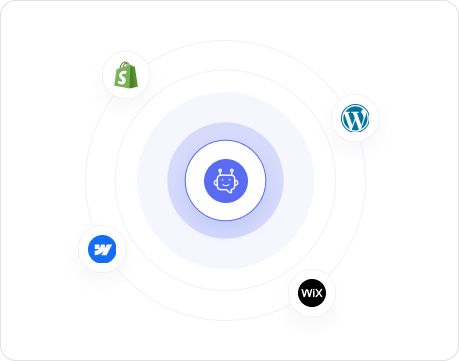
Tinyhelpr fits into your site without friction. Add one lightweight snippet and run the same assistant on Shopify, WordPress, Wix, Webflow, or any custom build, with a fast, responsive chat experience that feels native everywhere.

Ticket Form

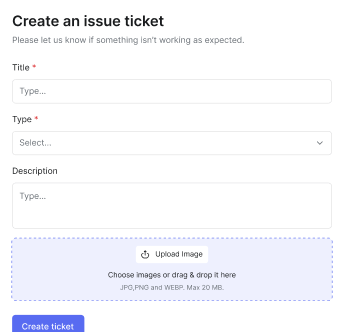
When a question needs a human, collect everything upfront. Tinyhelpr can route chats into structured tickets so you get the context, details, and files you need in one go, reducing back-and-forth and speeding up resolution.

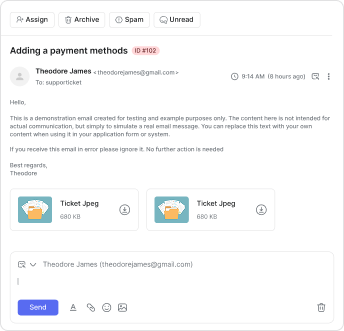
Email Inbox

Stop losing support threads across multiple mailboxes. Manage customer emails in one place, keep conversations organized, and make handoffs simple so nothing slips through the cracks when things get busy.

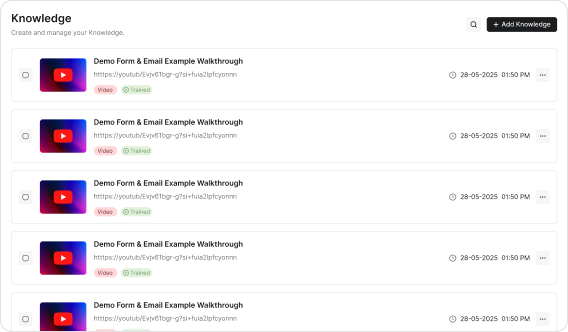
FAQ & Knowledge Base

Build a single source of truth for customers and for your chatbot. Create a searchable knowledge hub that reduces repetitive questions, keeps answers up to date, and helps visitors self-serve without waiting for support.

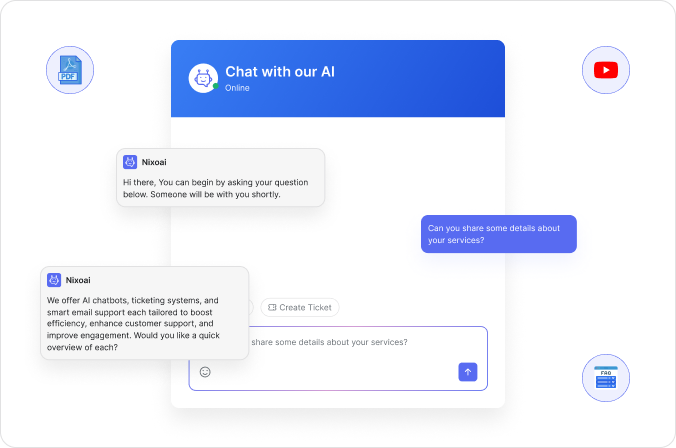
AI Live support

Stop losing customers to “no response”

Most visitors won’t wait for email forms or slow replies. Tinyhelpr engages them immediately, answers key questions, and turns uncertainty into action before they click away. It works 24/7 and hands off complex requests to your team with the full context included.

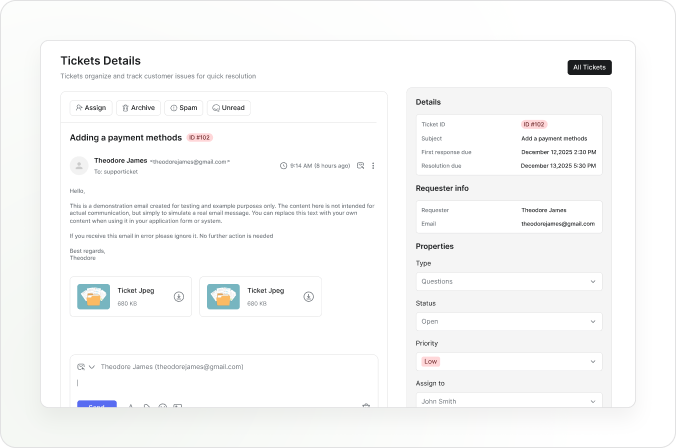
Ticketing System

Your inbox isn’t a ticket system

Stop losing customer issues in scattered emails, DMs, and half-read threads. Tinyhelpr turns conversations into structured tickets with clear ownership, priority, and full context so nothing slips through the cracks and your team can resolve faster.

Developer Friendly

Compatible with your existing stack

Add Tinyhelpr to your site, keep your current tools, and expand as you grow. It’s built to run reliably across different platforms so you can focus on customers, not integration work.

Demo

See Tinyhelpr in action

Most visitors leave because nobody answers fast enough. Try the demo and see how Tinyhelpr keeps them engaged.

Try me ✨

Ask me a question - I'll answer.

New chat
bot

Hi there 👋

I'm a demo chat.

Put any text in the textbox next to me, and I'll use that to answer any questions you might have.

Chat is disabled. Train the demo from the right-side text box.

Add your knowledge here

Try it now, go live in minutes

Starter

For testing Tinyhelpr on one page

$3.00 / 30 days
  • Embed Domain Limit 1
  • Chatbot Contact Creation Limit 10
  • Monthly Message Limit 200
  • Chat Session Limit 100
  • AI Chat Memory Limit 5
  • Knowledge Base Limit 3
  • Knowledge Doc Size Limit 2 MB
Pro

For growing businesses

$39.00 / 30 days
  • Human Chat Intervention Enabled
  • Hide Credit Text Enabled
  • Embed Domain Limit 3
  • Chatbot Contact Creation Limit 500
  • Monthly Message Limit 3000
  • Chat Session Limit 1500
  • AI Chat Memory Limit 20
  • Knowledge Base Limit 50
  • Knowledge Doc Size Limit 10 MB
  • Support Ticket Receiving Limit 100
  • Support Ticket Opening Limit 100
Ultimate

For agencies & high-traffic sites

$79.00 / 30 days
  • Custom API Key Enabled
  • Human Chat Intervention Enabled
  • Image Knowledge Embedding Enabled
  • Priority Support Enabled
  • Hide Credit Text Enabled
  • Embed Domain Limit 10
  • Chatbot Contact Creation Limit 2000
  • Monthly Message Limit 10000
  • Chat Session Limit 5000
  • AI Chat Memory Limit 50
  • Knowledge Base Limit 200
  • Knowledge Doc Size Limit 20 MB
  • Support Ticket Receiving Limit (Unlimited)
  • Support Ticket Opening Limit (Unlimited)

All the essentials to launch and scale

Fully customizable

Match Tinyhelpr to your brand with colors, logo, tone, and widget styling so it feels native on your site.

No code

Go live in minutes with a simple embed and manage everything from one dashboard, no developer required.

Collect leads

Capture emails and key details at the right moment so conversations turn into qualified inquiries.

Webhooks

Send events and lead data to your tools automatically, from CRMs to spreadsheets and internal systems.

Invite your team

Add teammates, assign ownership, and collaborate on tickets and replies without losing context.

Support personas

Create different agent identities and workflows so your support feels personal and stays consistent.

Stories of growth and success

Tinyhelpr helped us convert more visitors because questions get answered immediately. It’s like having a helpful assistant on the site 24/7. We noticed more completed contact submissions, especially outside business hours.

Martin Plop

Sales Director

Great product overall and the chatbot answers accurately once it’s trained. I’d love a few more customization options, but it already saves us a lot of time. The ticket handoff works well and keeps edge cases organized.

Daniel Weber

Web Developer

Clean interface, fast responses, and it actually feels like it belongs on the website. We saw fewer “basic” support emails within the first week. Training it with our FAQ took minutes and the replies stayed consistent across pages.

Marcus Hill

Customer Support Lead

Tinyhelpr was surprisingly quick to set up, and it started handling repetitive questions right away. The lead capture alone made it worth it for us. Visitors now get answers instantly instead of bouncing, and we wake up to qualified inquiries.

Sofia Keller

Growth Marketing Manager

Perfect for a small team that can’t respond instantly all day. Everything feels modern, smooth, and easy to manage from one dashboard. The overview makes it obvious what needs attention, so we don’t miss important conversations.

Ethan Brooks

Startup Founder

Questions and answers

Frequently Asked Questions

Everything you need to know before going live with Tinyhelpr. If you don’t see your question here, just start a chat and we’ll help you set it up in minutes.

Let’s talk with Tinyhelpr

How fast can I install Tinyhelpr?

Most teams go live in minutes. You paste a small snippet into your website, choose where the chat appears, and the widget is ready to use.

Do I need a developer to set it up?

No. The standard setup is no-code and managed from your dashboard. A developer is only needed if you want advanced styling or custom workflows.

Can the chatbot use my own content and FAQs?

Yes. You can add your knowledge base, FAQs, and website info so the bot answers in your language and stays consistent with your offer.

Does Tinyhelpr capture leads automatically?

Yes. You can enable lead capture so the chatbot asks for contact details at the right moment and turns conversations into qualified inquiries.

What happens when the bot can’t answer something?

You can set rules for escalation. Tinyhelpr can hand off to a human or create a structured ticket so nothing gets lost.

Is there a free trial and can I change plans later?

Yes, the Basic plan includes a 14-day free trial. You can upgrade or switch plans as your usage grows.

Be first to get new releases, integrations, and conversion playbooks for your chatbot.